

Request an export
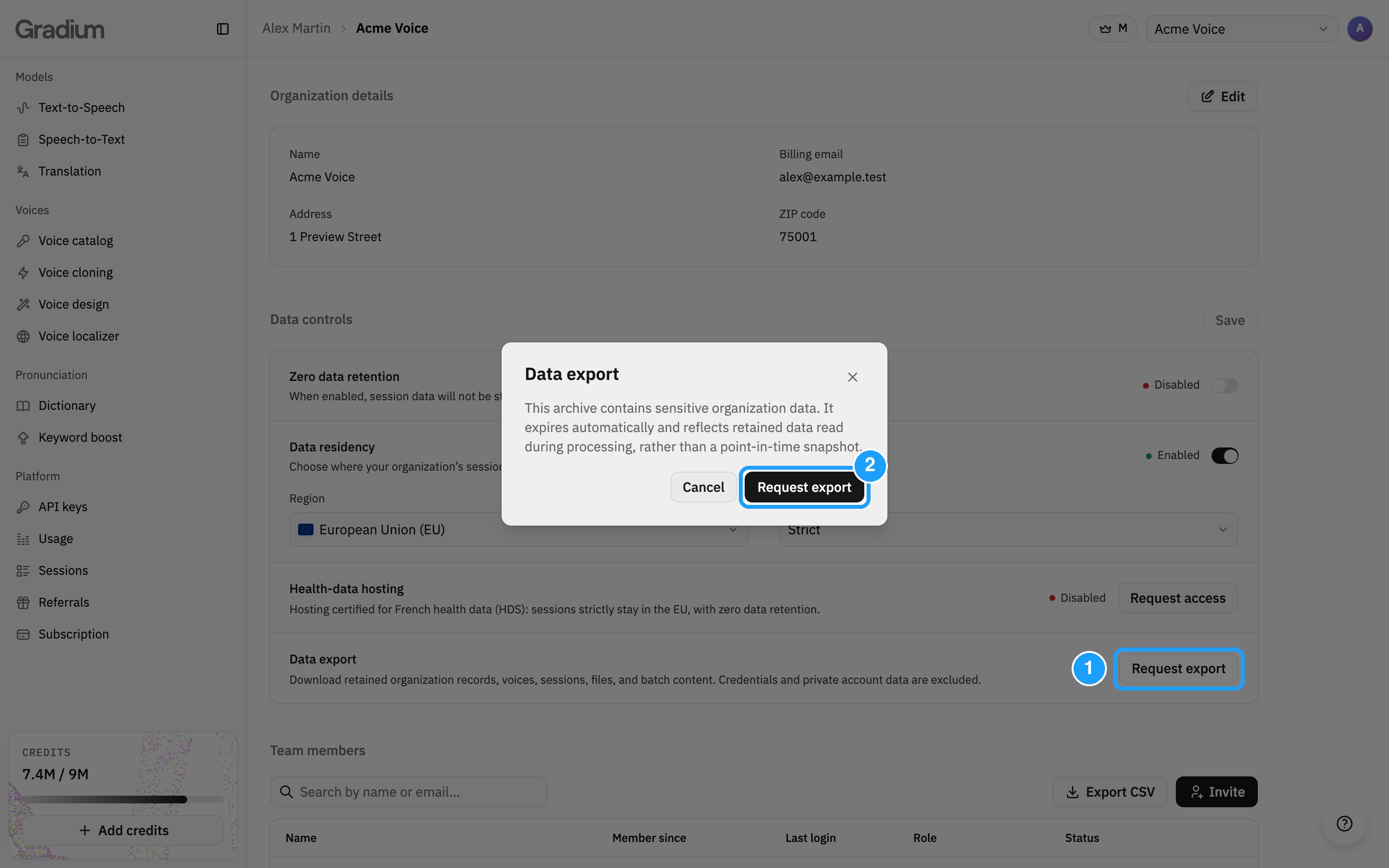
Sign in to Gradium Studio, open the Profile dropdown in the top right, and select Organization. Then:- Under Data controls > Data export, click Request export.
- Click Request export again to confirm.
What to know
- The archive contains sensitive data. Store and share it accordingly.
- It expires. The download link stops working after 7 days. Request a new export after that.
- It is not a snapshot. The archive reflects the data read while the export runs, not the state at one point in time.
- One at a time. While an export is running, a new request returns the same export.
- It covers retained data only. With Zero data retention on, request and response payloads are not retained, so they are not in the archive.