Health data hosting (HDS) is the French certification for hosting health data. Under HDS, your organization’s sessions stay in the EU, with Data residency on Strict and Zero data retention on. It is available on our paid plans, and Gradium enables it after reviewing your request.

Request health data hosting

Sign in to Gradium Studio, open the Profile dropdown in the top right, and select Organization. Then:
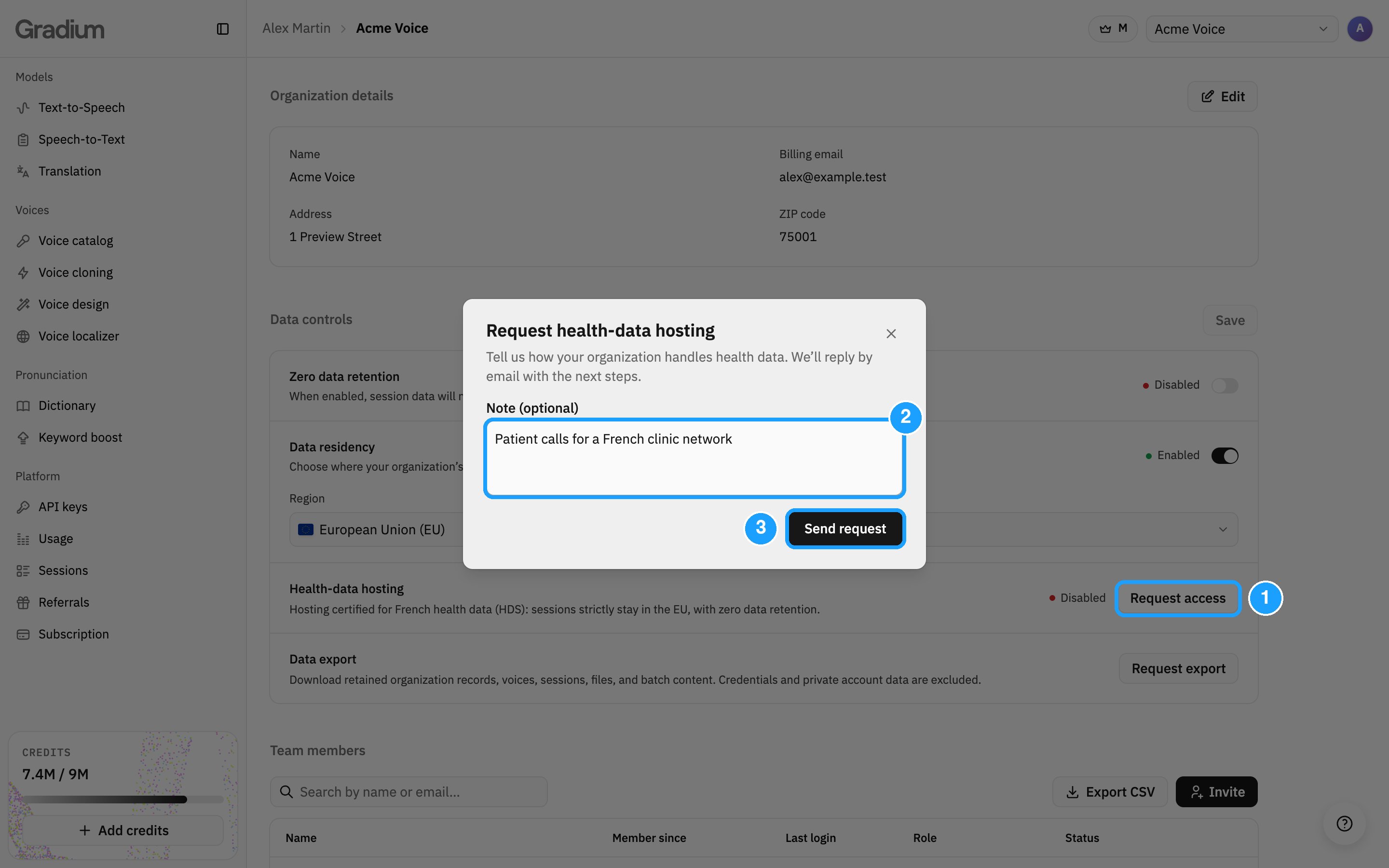
  1. Under Data controls > Health-data hosting, click Request access.
  2. Optionally, add a note: your use case, a deadline or a compliance requirement.
  3. Click Send request.
The Health-data hosting request, with Request access, the note and Send request numbered 1 to 3
We reply by email with the next steps. Once HDS is enabled, the card shows Enabled. Only organization admins can send the request. If you are a member, ask an admin of your organization. See Organization for roles. On a free plan, Request access is greyed out. Hover it to see why, and use Upgrade plan at the top of the Data controls section.

What changes under HDS

  • Data residency stays on the EU with Strict. Its settings are greyed out.
  • Zero data retention stays on.
  • Your plan stays paid: the subscription page shows a notice instead of Cancel plan, and the free plan is available once HDS ends.
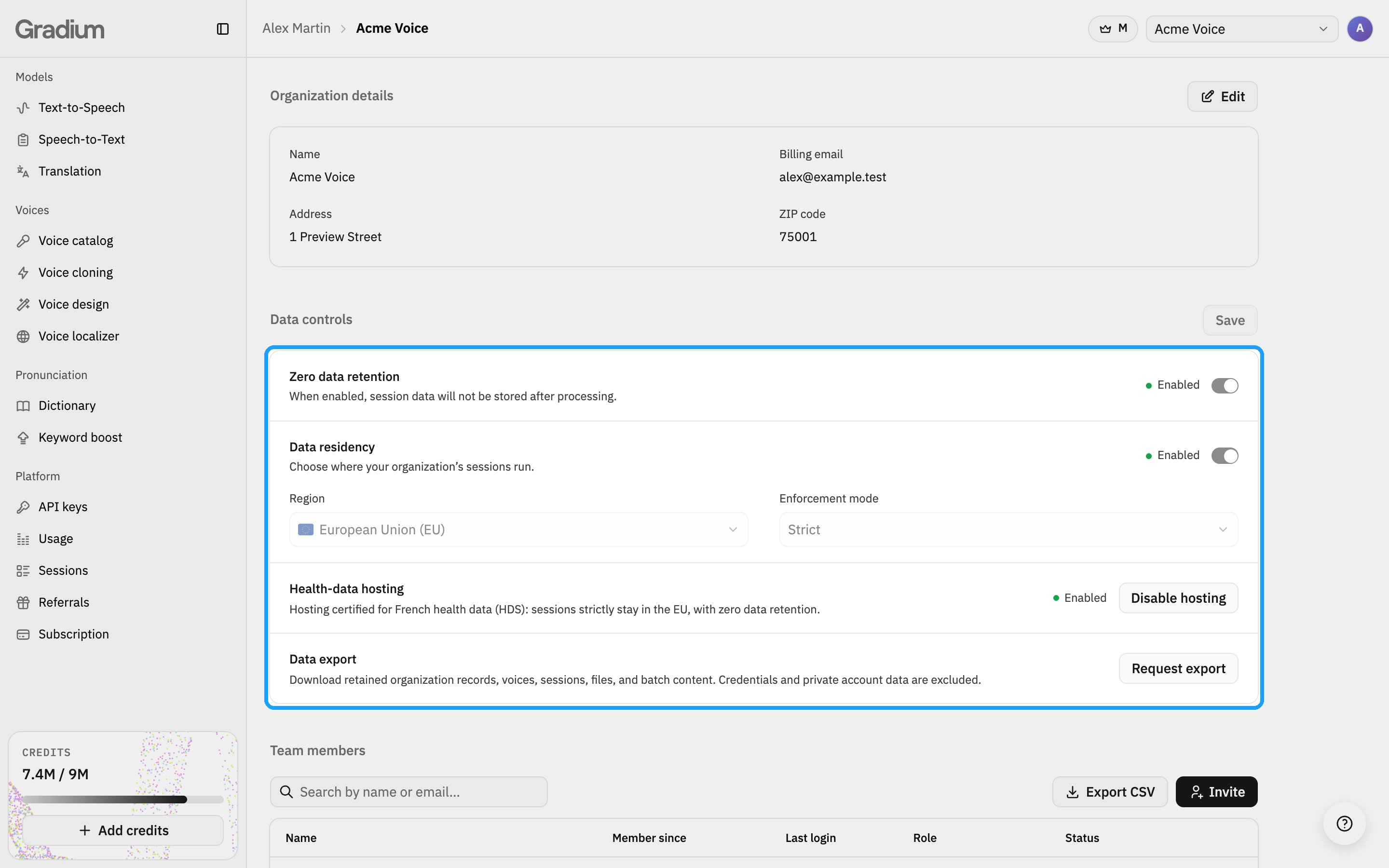
Data controls under HDS: zero data retention and data residency enabled, the region and Strict mode greyed out, and Health-data hosting Enabled

Leaving health data hosting

Leaving HDS follows its own procedure. On the Health-data hosting card:
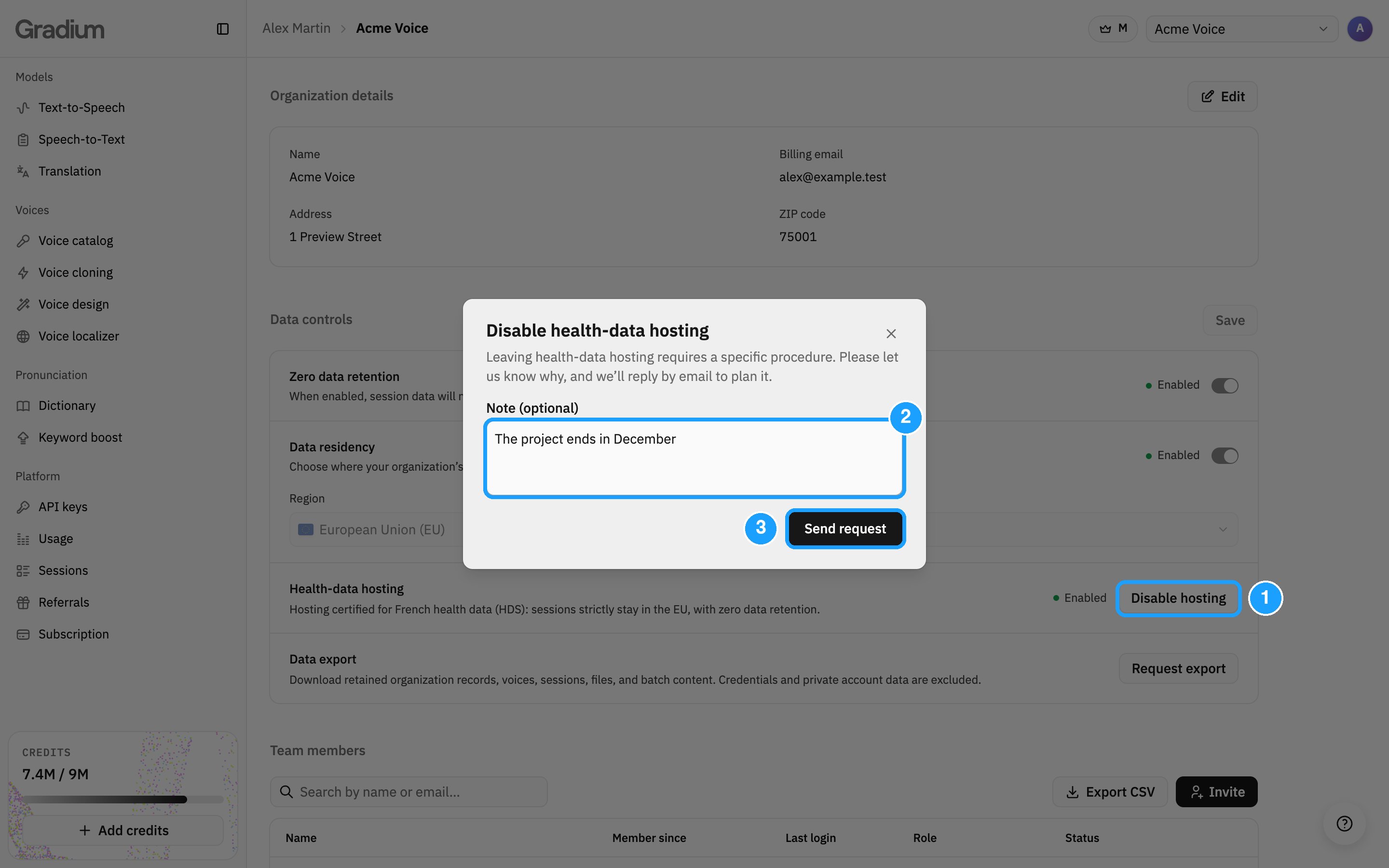
  1. Click Disable hosting.
  2. Optionally, tell us why in the note.
  3. Click Send request.
The request to disable health-data hosting, with Disable hosting, the note and Send request numbered 1 to 3
We reply by email to plan it. For SOC 2 Type II attestation, ISO 27001 certification and security resources, see Security and compliance and our Trust Center.